# 01. 스프링 부트 설치

## 01. JDK 설치

<p class="callout info">- 자바로 만든 웹 프레임 워크이기 때문에 자바 설치가 필요</p>

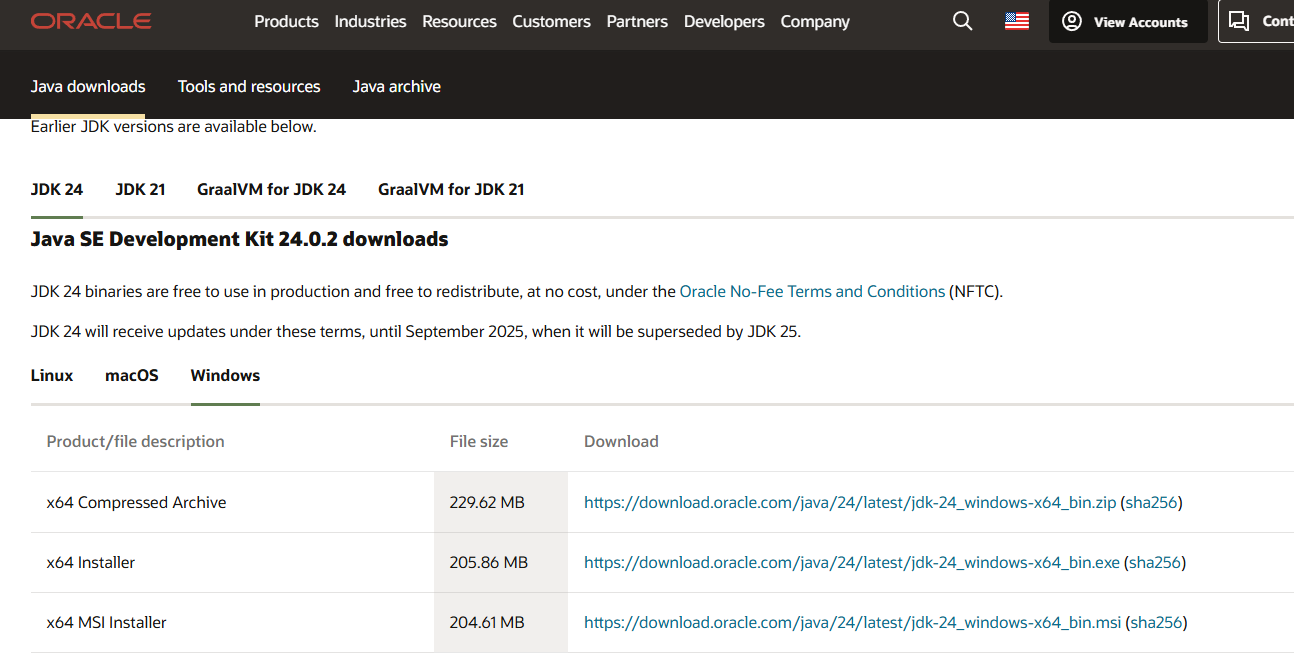
**설치 링크 :** [**https://www.oracle.com/java/technologies/downloads/#jdk24-windows**](https://www.oracle.com/java/technologies/downloads/#jdk24-windows "JDK 설치")
![image.png](https://www.ochidstudy.com/uploads/images/gallery/2025-08/scaled-1680-/fdt51AU7eAgRl7Fq-image.png)

<span style="background-color: rgb(251, 238, 184);">- 필자는 Windows에서 x64 installer 를 선택했다.</span>

![image.png](https://www.ochidstudy.com/uploads/images/gallery/2025-08/scaled-1680-/i3XUz5AUZNzZ4MtC-image.png)

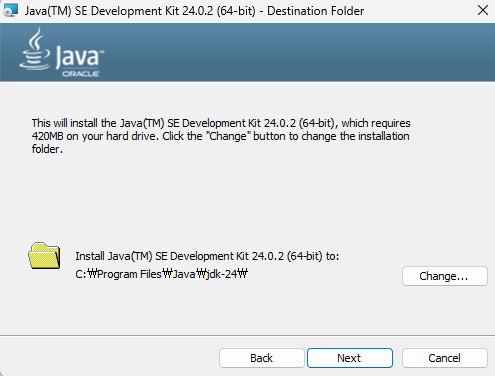
<p class="callout info">- 설치진행</p>

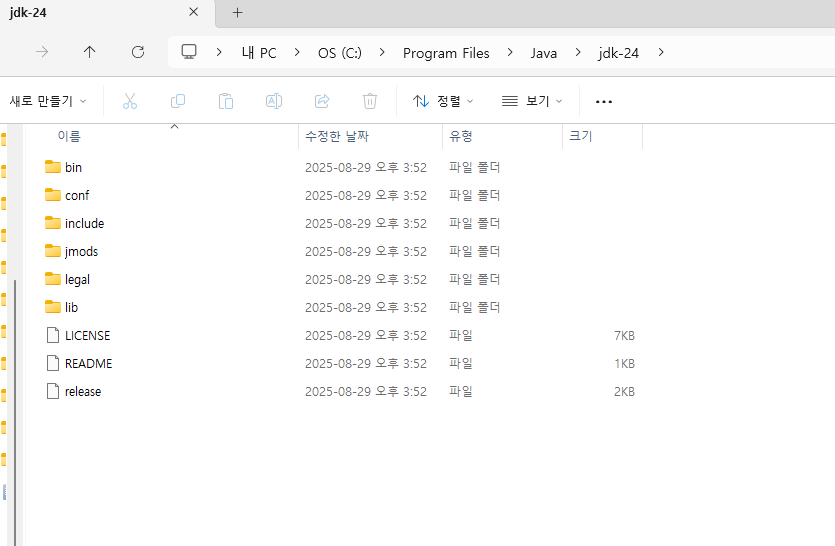
**설치 경로 :  C:\\Program Files\\Java\\jdk-24**
![image.png](https://www.ochidstudy.com/uploads/images/gallery/2025-08/scaled-1680-/GnK6IE8iui8nqAkb-image.png)

## 02. STS 설치 (Spring Tool Suite)

<p class="callout info">- 스프링 부트 프로그램을 작성할 수 있도록 도와주는 도구인 STS 설치</p>

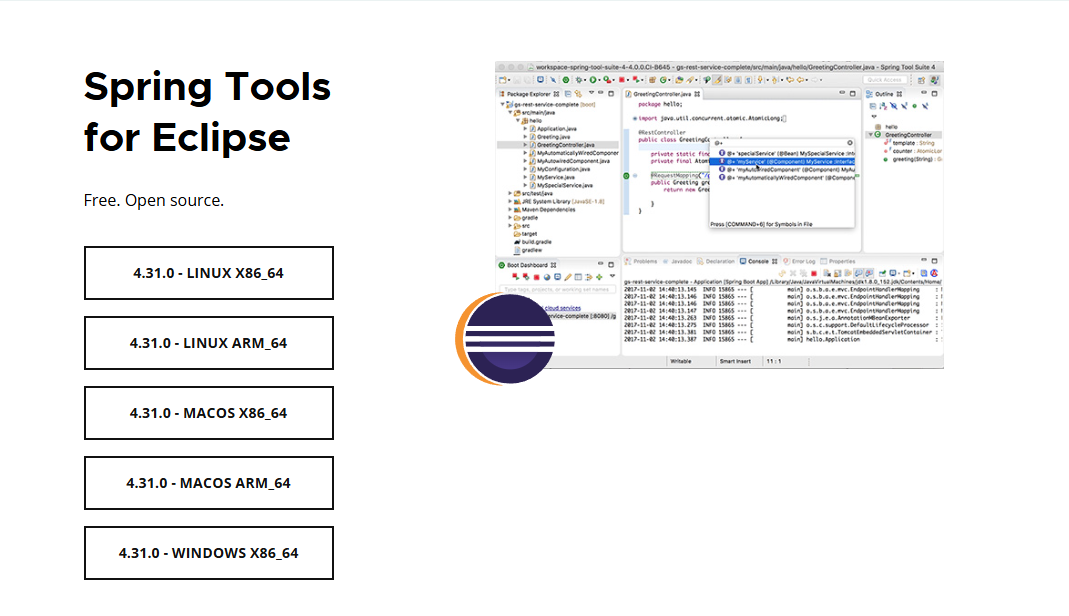
**설치 링크 :** [**https://spring.io/tools**](https://spring.io/tools "설치 링크")
![image.png](https://www.ochidstudy.com/uploads/images/gallery/2025-08/scaled-1680-/CcA7Lx0AwZbsFwjZ-image.png)

**위의 링크에서 해당되는 버전 다운로드**

![image.png](https://www.ochidstudy.com/uploads/images/gallery/2025-08/scaled-1680-/Hj4jmvd38iglVHwi-image.png)

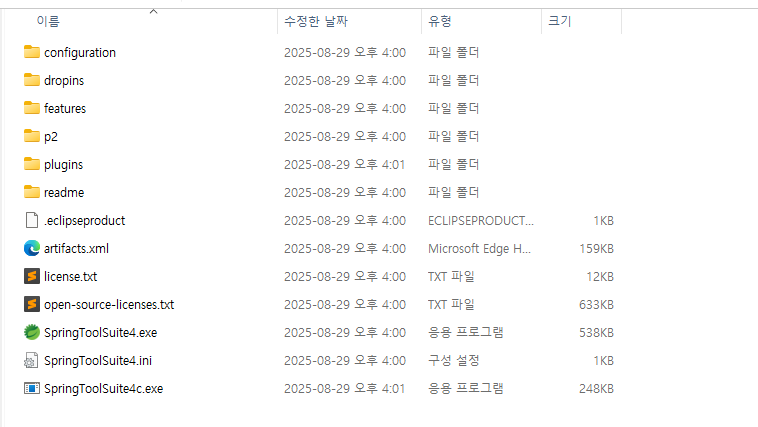
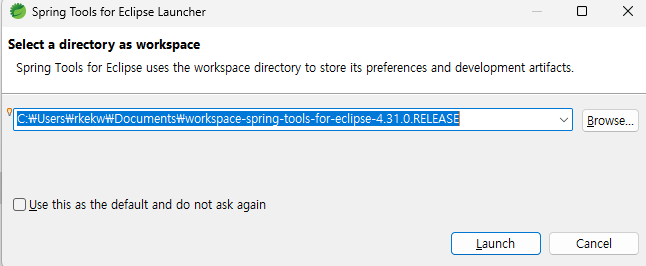
**파일 다운로드 후 압축을 해제했다.**

**압축 해제 중에 경로를 찾을 수 없다면서 파일 몇개 오류가 발생했는데 그냥 무시해도 실행은 가능하다.**
![image.png](https://www.ochidstudy.com/uploads/images/gallery/2025-08/scaled-1680-/gdfUw3HjvPDXnDt2-image.png)

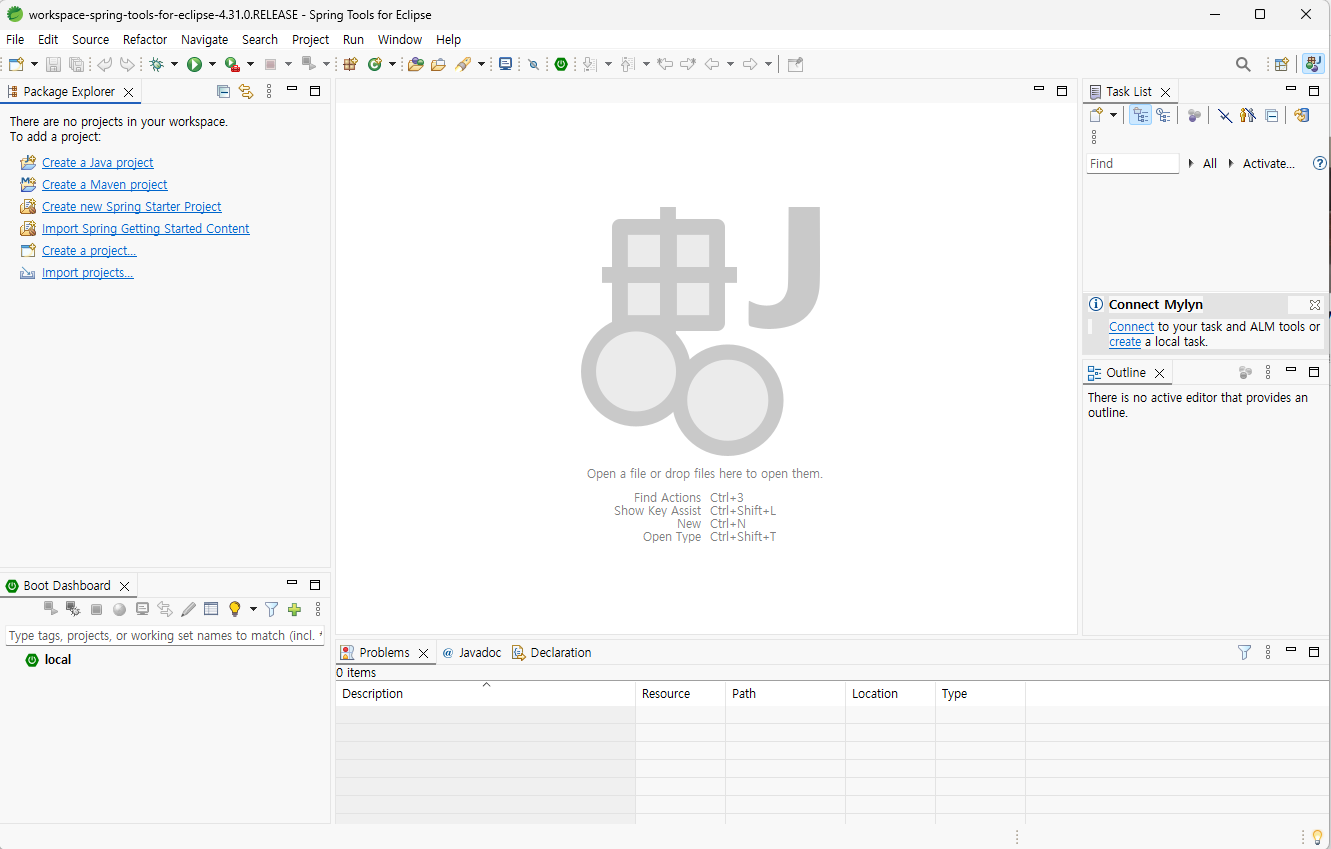
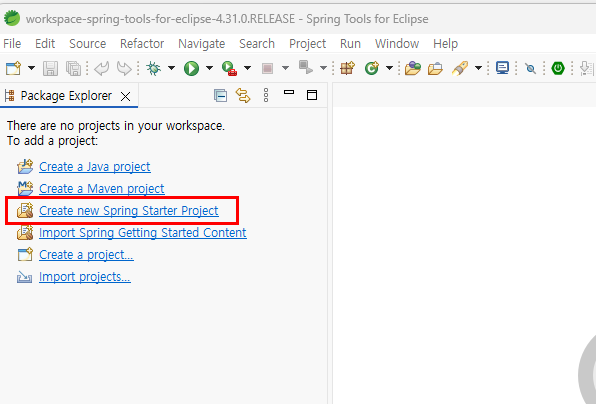
**설치 후 기본화면은 다음과 같다.**

![image.png](https://www.ochidstudy.com/uploads/images/gallery/2025-08/scaled-1680-/2vWZmrPkKamBFMhT-image.png)

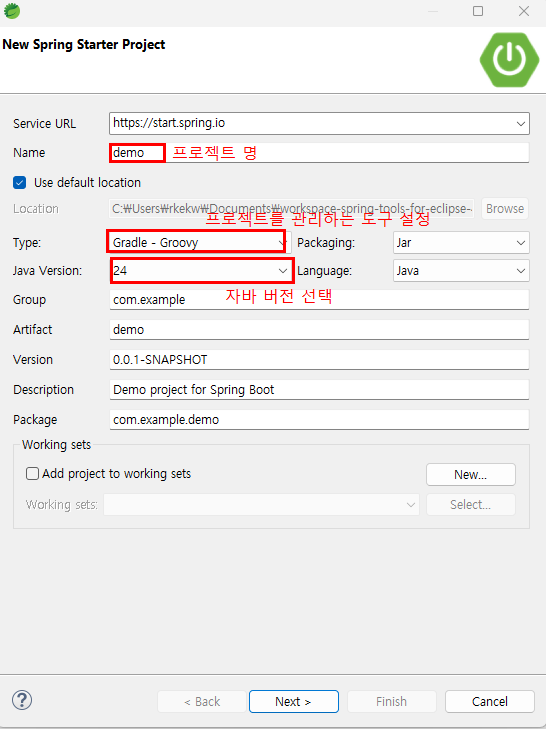
**Create new Spring Starter Project 선택**
![image.png](https://www.ochidstudy.com/uploads/images/gallery/2025-08/scaled-1680-/YE5G5z2W6Zshhi06-image.png)

![image.png](https://www.ochidstudy.com/uploads/images/gallery/2025-08/scaled-1680-/nWkp9yXm3LeHEUT9-image.png)

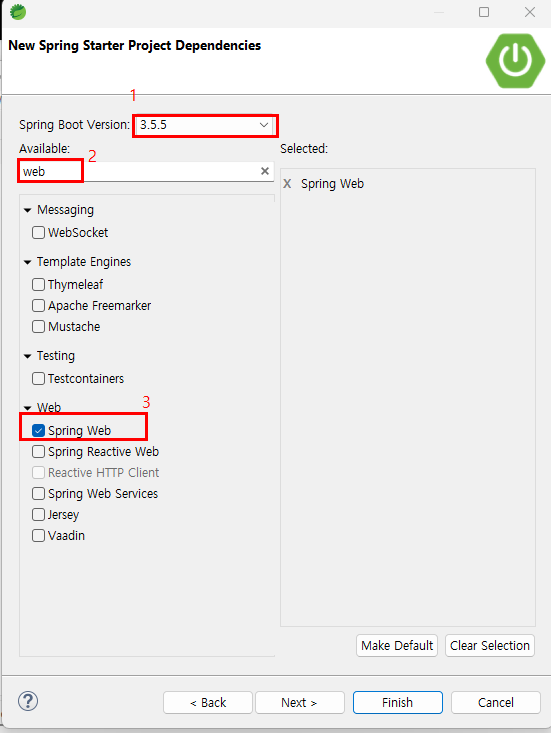
**다음으로 스프링부트의 버전을 선택한다.**

![image.png](https://www.ochidstudy.com/uploads/images/gallery/2025-08/scaled-1680-/P7hO6ur1itbuxwVs-image.png)

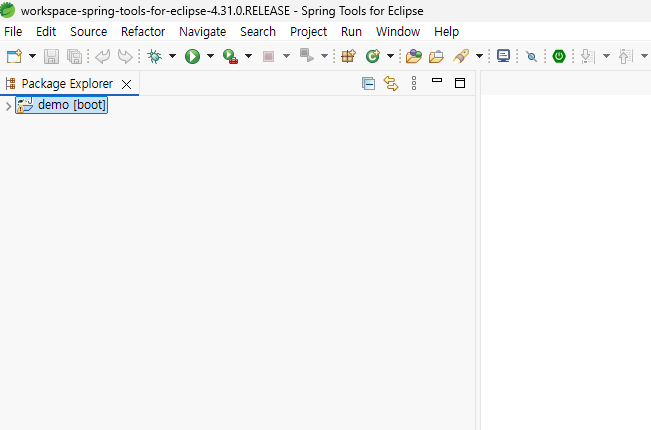
**위 설정을 마치면 우측 하단에 무언가를 import 한다는 로딩바가 생기고 프로젝트 생성이 완료된다.**
![image.png](https://www.ochidstudy.com/uploads/images/gallery/2025-08/scaled-1680-/zrgAfmXW1owc3nnz-image.png)

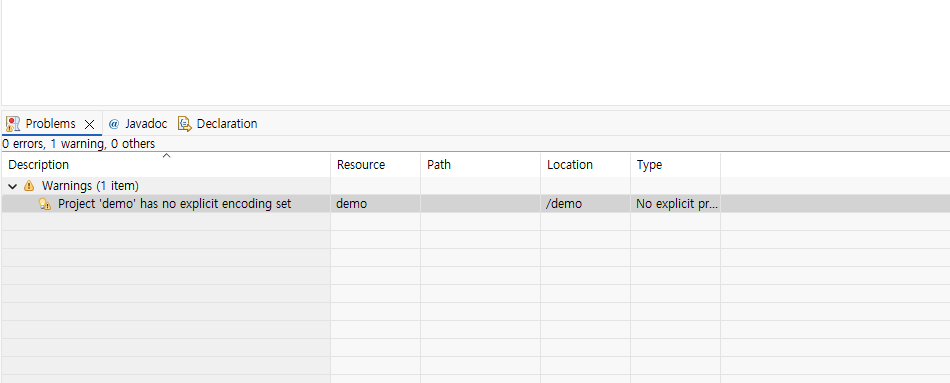
**데모 프로젝트가 생성됐다.**

![image.png](https://www.ochidstudy.com/uploads/images/gallery/2025-08/scaled-1680-/YdEPERaDdXGILZgo-image.png)

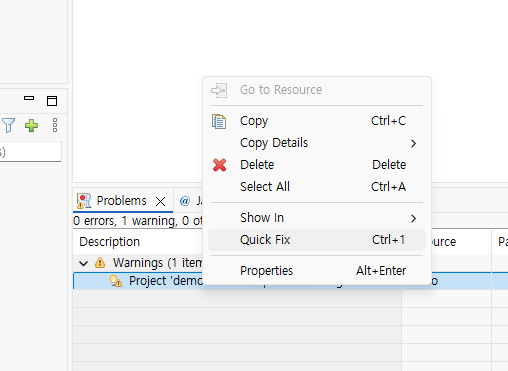
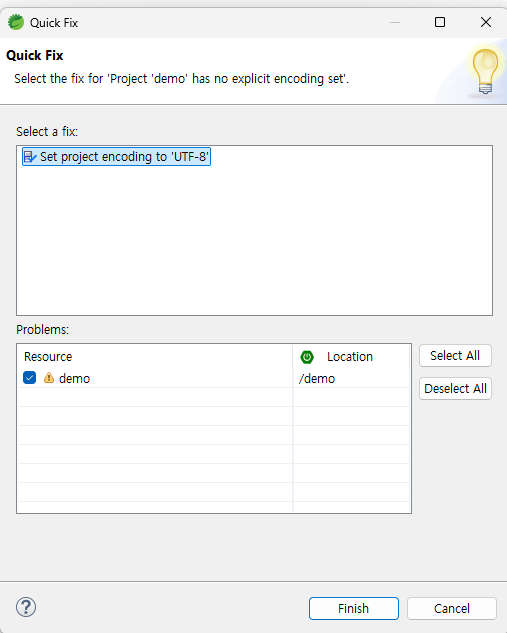
**하단의 오류 확인**<span style="white-space: pre-wrap;"> </span>**-&gt; 오류 구문 오른쪽클릭 -&gt; Quick Fix 선택**

![image.png](https://www.ochidstudy.com/uploads/images/gallery/2025-08/scaled-1680-/1e38NthSGLvRlymt-image.png)

**Finish를 선택하면 자동으로 문제 해결**

![image.png](https://www.ochidstudy.com/uploads/images/gallery/2025-08/scaled-1680-/EL8EaEoOCXyToDR6-image.png)

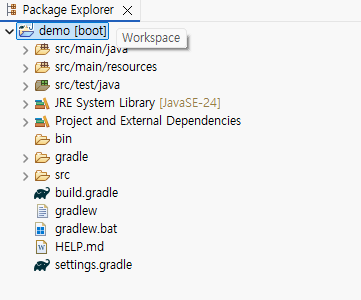
<p class="callout info">프로젝트의 기본 구조</p>

![image.png](https://www.ochidstudy.com/uploads/images/gallery/2025-08/scaled-1680-/fhZXYQyWj5Qazqqb-image.png)